POLYTRACK, MEASURED
PolyTrack tracks: 17 official, and what we measured
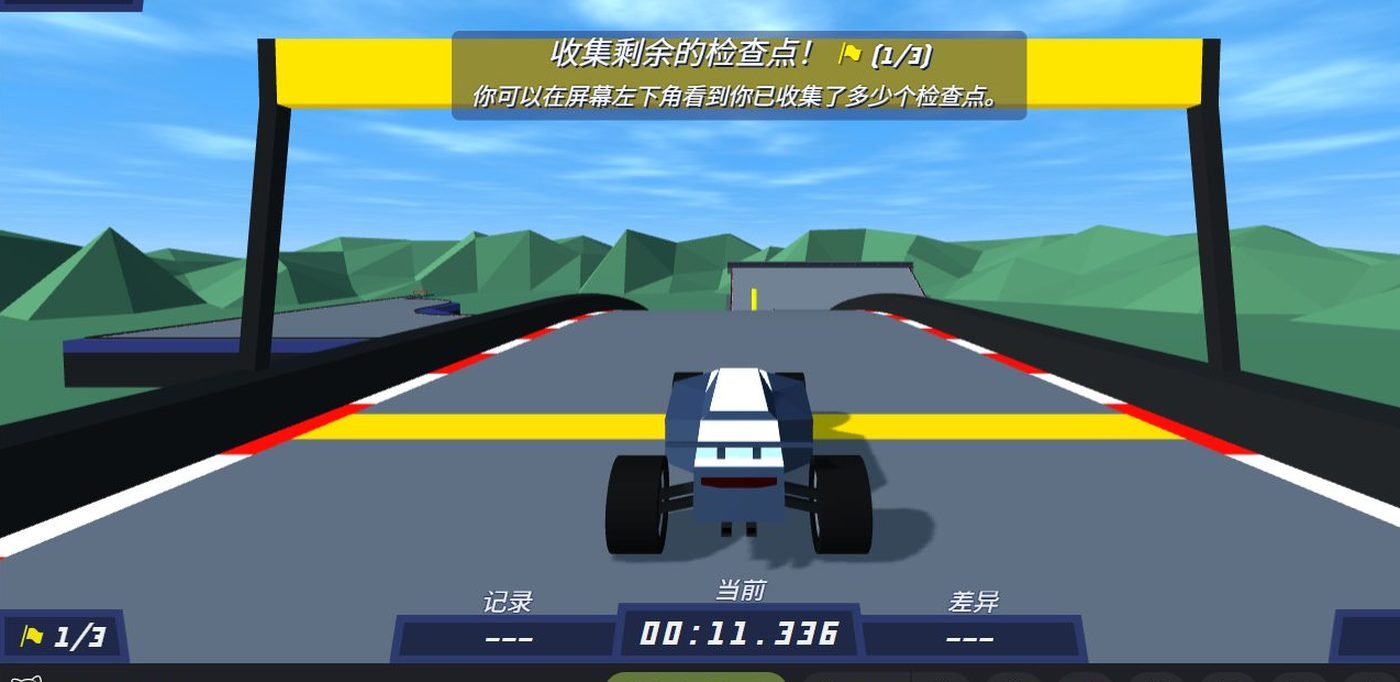
Seventeen official tracks: seven summer, five winter, five desert. The listing says the season changes the surroundings and not the driving. In the client each track is a named lap with a printed record and a checkpoint counter — the three we have driven so far are below, with the numbers the HUD showed.
OFFICIAL ONLY
The count and the season split are the CrazyGames listing’s, read 2026-11-02. It is explicit that the seasons change the scenery, not the car or the handling.
What the client shows on every track
IN-GAME
A track opens on a countdown, then prints a small block in the top-left corner above the road:
- the track name as the menu spells it —
Summer 1 - the record on that track, to the millisecond —
00:27.167 - your rank against that record —
3 031 452nd
Along the bottom sit three columns, 记录 (record), 当前 (current) and 差异 (difference), a flag counter such as 0/3 for checkpoints, and the speed in km/h. The corner buttons read 退出 (leave), 观看 (watch) and 下一赛道 (next track).
The three we have driven
| Track | Checkpoints | Record | Our best lap | Our rank then |
|---|---|---|---|---|
| Summer 1 | 3 | 00:27.167 | 00:26.583 | 3 031 452nd |
| Summer 2 | 2 | 00:28.724 | — | 2 111 731st |
| Summer 3 | 3 | 00:29.085 | — | — |
TESTED
Those five columns come off the screen in one session on 2026-11-02. Checkpoints were counted on the HUD; records and ranks were read from the corner block and from the finish card.
By season
| Season | Tracks | Names read | Status |
|---|---|---|---|
| Summer | 7 | 3 | 1 driven inside a second of the record |
| Winter | 5 | none | not entered yet |
| Desert | 5 | none | not entered yet |
| Total | 17 | 3 |
NEEDS CHECK
The other fourteen track names are printed nowhere on the store page and we have not walked the menu far enough to read them. Each needs the same three readings these three have: the name, the checkpoint count, the record.
What the record field actually is
On a track you have never finished, 记录 starts empty and fills in a few seconds later — it is fetched, not computed locally. Once your own lap is the fastest known, the field switches to your time: after the run below the corner block read Summer 1 / 00:26.583 / 3 031 452nd, which is our lap, not somebody else’s.
Community tracks
Custom tracks are shared as codes rather than as files. The listing says the community shares design codes on forums; it does not publish the format. We are not going to publish other people’s codes without a date and a source, so that page waits until we have run a few ourselves.
How a lap will be timed
The client shows a finished time on the results line, so that is what gets recorded — not a stopwatch pointed at the monitor, and not a frame counter. A lap that leaves the track, resets, or finishes after a restart is noted as a dirty run instead of quietly reported as a clean one.
Where a track has a shortcut that the geometry allows but the designer probably did not intend, the page will say that separately. Shortcut legality in a game with a community leaderboard is the difference between a fast time and a flagged one.